Lightroom 1-3 presets will import and appear under the “User Presets” menu in Lightroom 4-5 just fine. They will also work to some degree when you apply them to your photos.
However, there are some differences in the way that Lightroom 1-3 and 4-5 process images. So, there may be subtle to dramatic differences in outcome when using Lightroom presets that were designed in versions 1-3 in versions 4-5.
There is a way to convert presets in versions 4-5 and get the exact original results. Following this step-by-step guide will allow you to continue using your old favorite presets without having open older versions of Lightroom.
How to Use Lightroom 1-3 Presets in Lightroom 4-5
First, I’m going to open Lightroom 3 and make a preset to export. If you don’t know how to make, export or import a Lightroom plugin, there are instructions for this on Presets Galore here. You can click on any of the images in this tutorial to view them at full size.
Here is my edited photo in Lightroom 3 with the new preset showing under “User Presets”.
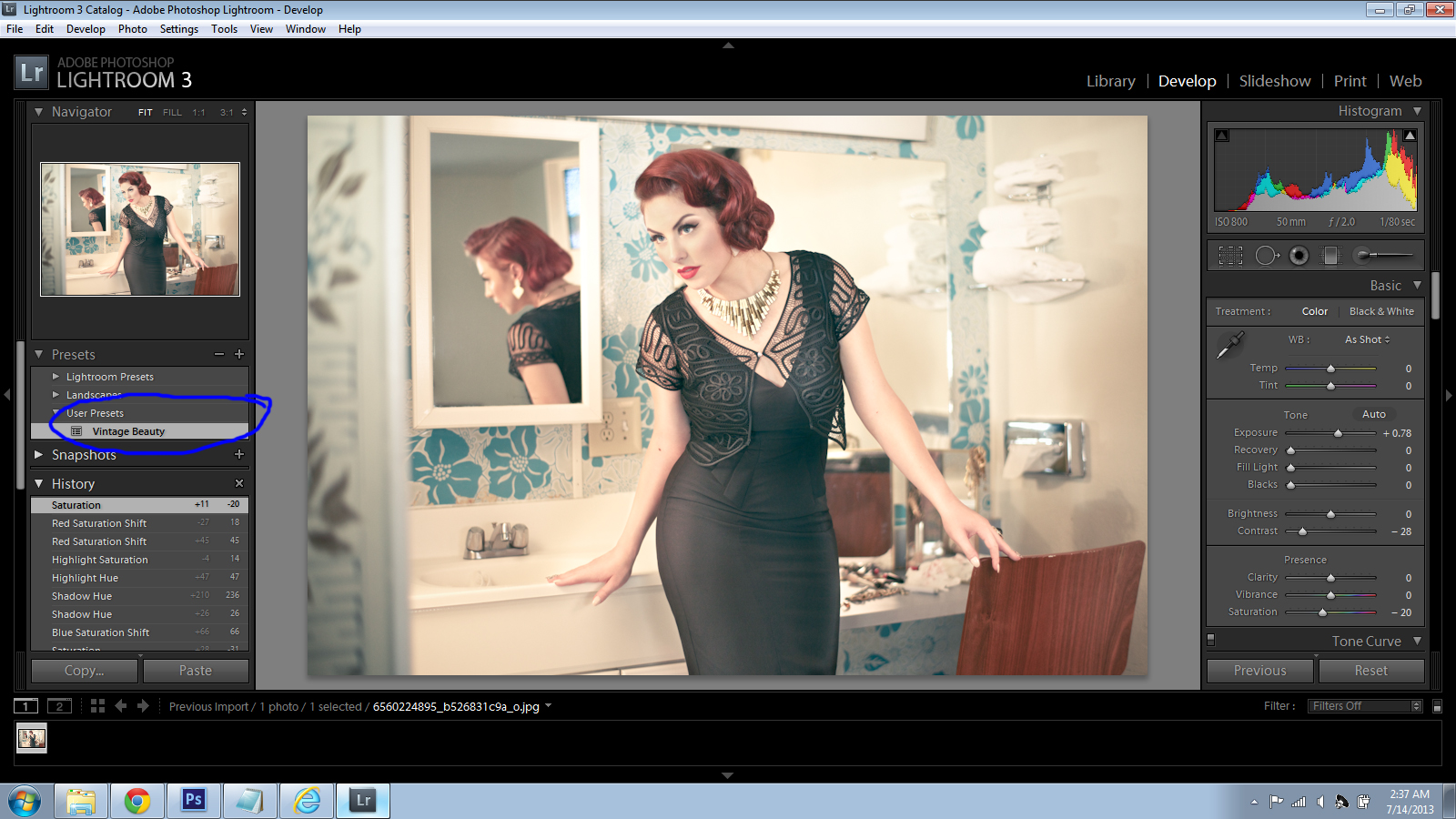
At this point, you can go ahead and export the preset to your computer.
Open Lightroom versions 4 or 5 and import the Lightroom 1-3 preset. Depending on the photo and settings in the preset, the result after applying it to the photo may be nearly identical or it may look very different.
In either case, scroll down to “Camera Calibration” on the left-hand side of the develop screen. Click the drop-down menu and choose 2010 as shown in the following screenshot.
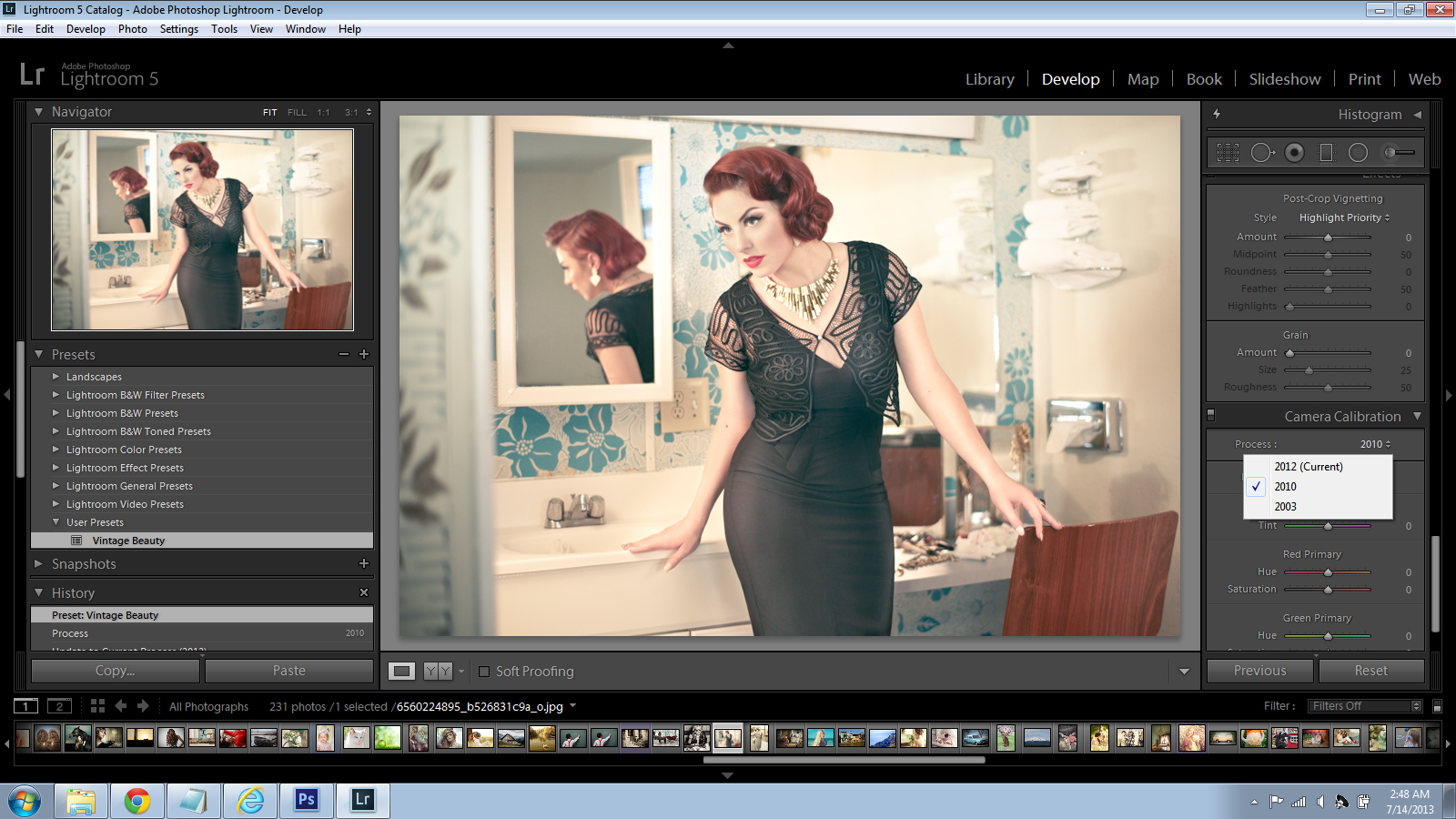
Your image result will now be identical to that achieved using the preset in Lightroom 1-3!


 Free Download – Deeply Matte – Photoshop Actions
  Free Download – Gorgeous Redheads – Photoshop Actions
  Free Download – Monochrome Landscapes – Lightroom Presets
  Free Download – Pinhole Photography – Lightroom Presets
thank you
You’re welcome
Very nice preset!