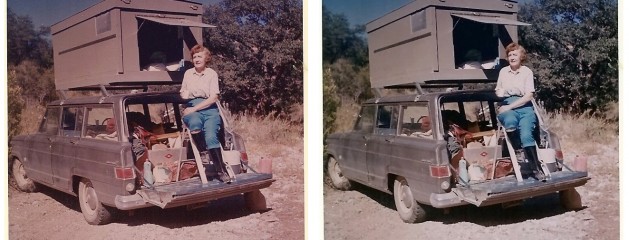
This Photoshop action will improve the color, contrast and noise level in an old scanned snapshot.
It can’t however bring back detail that isn’t there. The photograph I used for the example photo is an old family snapshot. The original was very washed out, noisy and lacking detail. It was unfortunately scanned in at a very low resolution and I don’t have access to the original.
If you have old prints that you would like to scan and digitally improve, you can scan them at 300 – 600 DPI. This should give you a big enough image to work with. Also, I didn’t add any sharpening to the preset, so you can do the sharpening part yourself after running the action in Photoshop.
Download the Old Snapshots Photoshop Action
Would you like to download all of the daily downloads at once?
For a $5 minimum donation you can instantly download all 110 Lightroom presets and 57 Photoshop actions.
Instead of downloading and unzipping 167 files one by one, you can download 1 file.
Updated daily.
You can always continue to download individual presets and actions at no charge.
Enter the email address that you would like your download sent to and a minimum of $5 USD. You will receive your download once your PayPal payment is complete.