
So, one day several months ago I started making these photography templates and I couldn’t stop. I had originally planned to sell them. But, I never got around to it!
6×4, 16×20 and 20×20 sizes. Layered .psd files. 300dpi. The templates can be resized to any size you like.
Here is one of them with photos placed in it. All of these photos were processed with presets from the Pro Lightroom Presets Bundle.
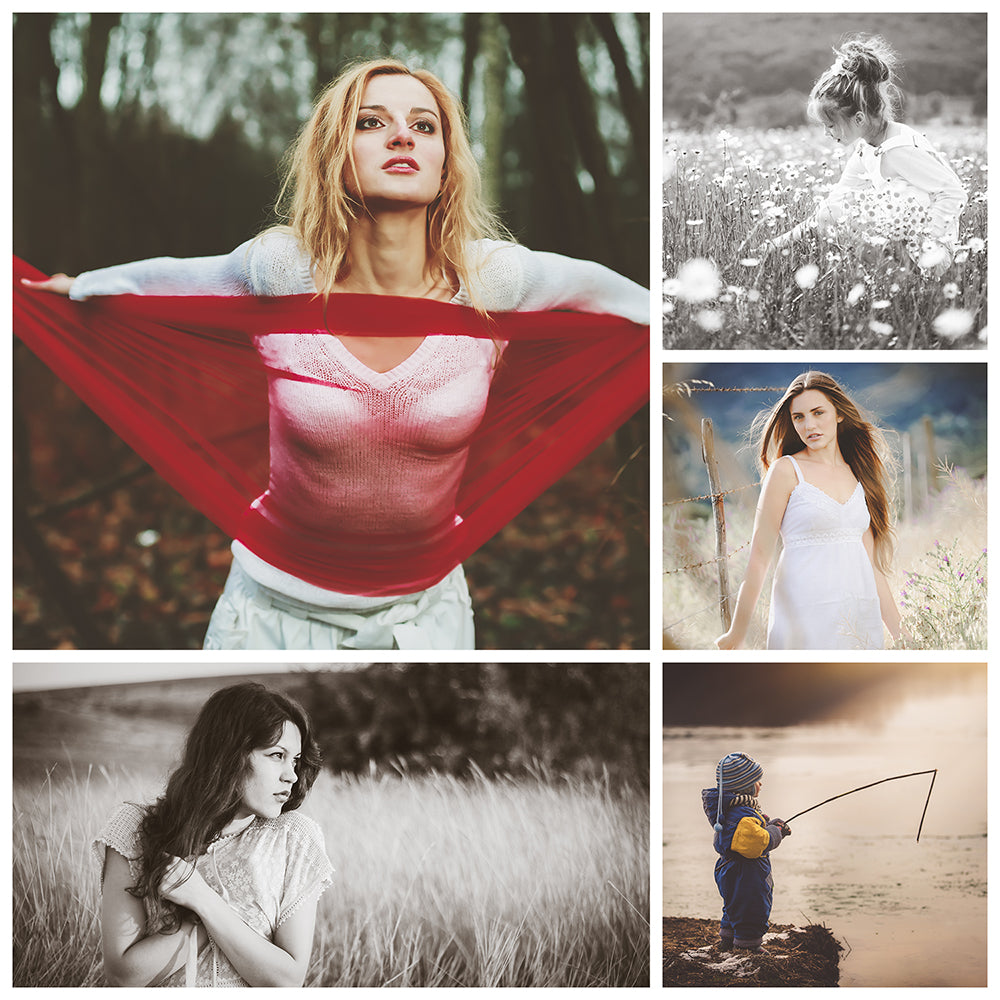
So far I have completed 60 templates. You can download them for free. Since the file size is much too big to upload to this website, they can be downloaded from Dropbox, here:
https://www.dropbox.com/sh/ilapd5og2o0xeye/AAAVXFk9hhAW2DxClLC1sa-Ia?dl=0
Here is what the template used above looks like before photos are added.
The instructions for using these photo templates are quite easy. First, you will need a very basic understanding of working in layers in Photoshop.
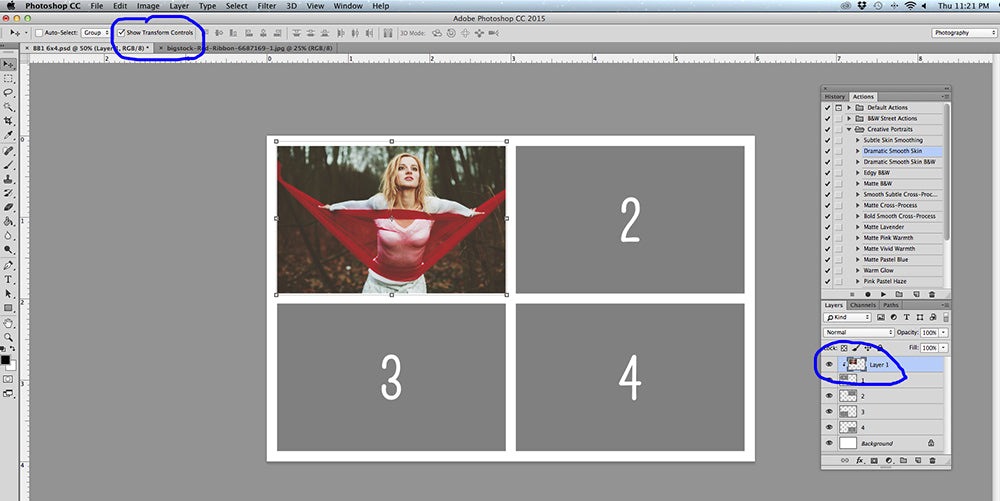
Each layer is numbered. Place your photo over the desired layer in the layers panel. Right-click on the photo layer and choose “Create Clipping Mask”. Then use transform to resize and move the photo to your liking. Make sure “Show Transform Controls” is checked.
If you love the templates, please share and like this page!